
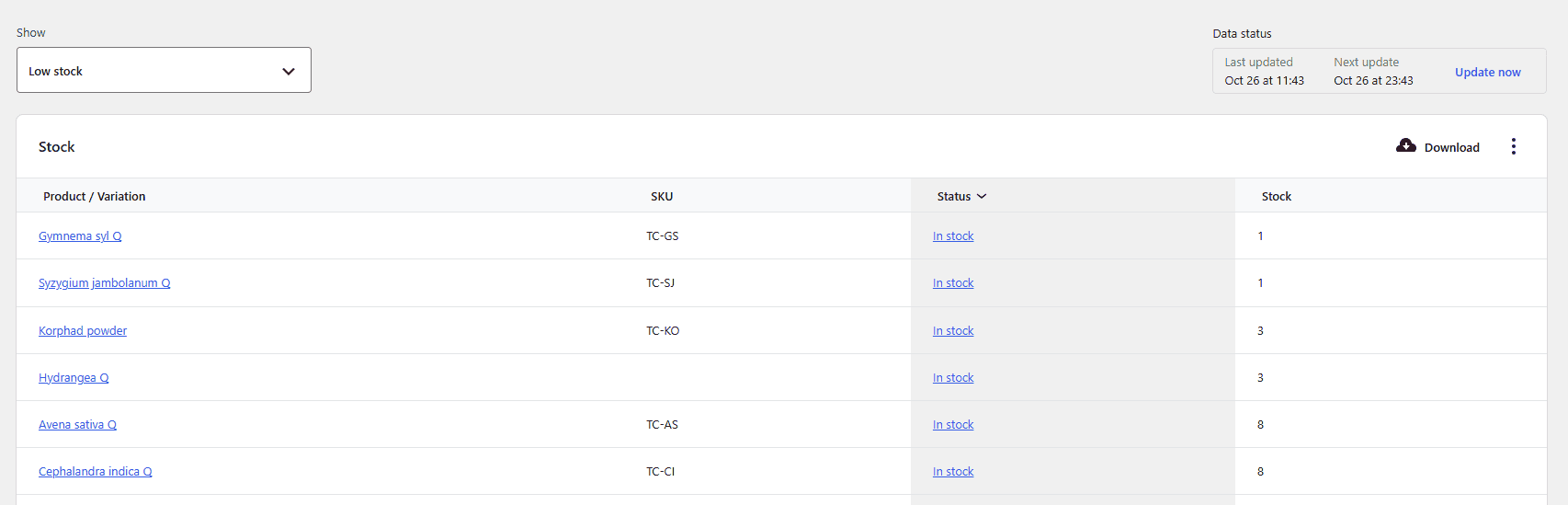
Managing a busy clinical dispensary or retail pharmacy requires absolute precision, flawless reliability, and lightning-fast execution. When patients arrive at the counter, clinic staff cannot afford inventory blind spots, stockouts, or frantic searches through back-room shelves. All of this gets resolved by proper WooCommerce clinic stock management.
Clinic Commerce Manager transforms standard WordPress platforms into a powerful, automated dispensary terminal. This guide explores how real-time stock tracking and automated low-stock alerts keep your pharmacy running at peak efficiency with zero friction.
1. The Critical Need for Real-Time Pharmacy Stock Visibility
In a fast-paced medical practice, inventory is more than numbers on a screen—it represents patient care, treatment continuity, and practice revenue. Traditional e-commerce setups often suffer from inventory lag, where web store sales fail to synchronize instantly with physical counter billing.
Clinic Commerce Manager solves this challenge entirely. Every transaction processed at your clinic terminal or online storefront instantly updates inventory levels across all active batches. This real-time synchronization guarantees that your stock data is always accurate, reliable, and completely up to date.
2. How Automated Stock Tracking Works Behind the Scenes
The core engine of WooCommerce clinic stock management relies on continuous, automated oversight. Rather than forcing staff to manually audit shelves or cross-reference spreadsheets, the plugin handles inventory adjustments seamlessly:
- Instant Order Deduction: The exact moment an invoice is completed, stock is deducted from the oldest available FIFO batch.
- Dynamic Quantity Aggregation: Individual batch quantities are automatically summed up to display accurate total stock counts on product pages.
- Seamless Multi-Terminal Sync: Whether billing occurs via a front-desk counter tablet or an online patient portal, inventory updates happen instantaneously without page refreshes.
3. Configuring Automated Low-Stock Alerts for Essential Medicines
Running out of life-saving medications, vital analgesics, or fast-moving clinical supplies is never an option. Setting up proactive notifications ensures your pharmacy stays fully stocked ahead of demand.
Step-by-Step Alert Configuration:
- Navigate to WordPress Admin > Products and select any medical item in your catalog.
- Open the product data panel and locate your inventory settings.
- Define your custom Low-Stock Threshold (e.g., setting an alert trigger when stock drops below 10 units).
- Save your changes to activate automated backend monitoring.
Once configured, the system flags inventory levels that dip below your specified threshold, giving your procurement team ample time to reorder from suppliers before shelves run dry.
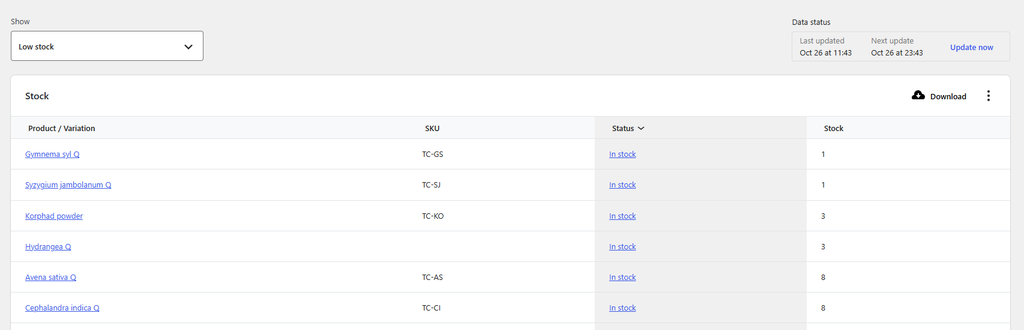
4. Preventing Dispensary Errors with Out-of-Stock Safeguards in WooCommerce Clinic Stock Management
During peak consultation hours, preventing over-selling is essential for maintaining professional trust. Clinic Commerce Manager incorporates intelligent safety toggles to protect your counter workflow:
- Automatic Status Toggling: The moment all active batches reach a quantity of zero, the product status automatically shifts to out of stock.
- Checkout Restriction: Customers and staff are instantly prevented from adding depleted items to active billing carts, eliminating embarrassing cancellation calls.
- Clear Visual Badges: Out-of-stock items display clear notices on the admin dashboard, keeping your team informed at a glance.
5. Unlocking Seamless Efficiency in Modern Practices
By combining automated low-stock alerts with real-time inventory synchronization, your clinic achieves total operational clarity. Staff spend less time counting pills and more time delivering exceptional patient care, while your digital storefront operates with the speed and reliability of enterprise-grade software. Ultimately the best use of any plugin or software is to ease your process and give you the best ways to create CA audit ready reports and remove all unnecessary clutter.

Upgrade Your Pharmacy & Dispensary Terminal
Transform WooCommerce into a high-speed clinical dispensary terminal with automated FIFO batch tracking, instant GST tax invoicing, and seamless counter billing.
- ✓ Native FIFO Batch & Expiry Control
- ✓ Automated Intra-State & Inter-State GST Slabs
- ✓ Fast Counter Billing & Staff Permissions
- ✓ 100% Self-Contained — Zero Friction Setup
Proudly Created by Tamhane Health